Source Files Tab Overview
Last updated: February 9, 2026
The Source Files tab will show all the forms you have uploaded for our AI Tax Prep.
How to find the Source Files Tab
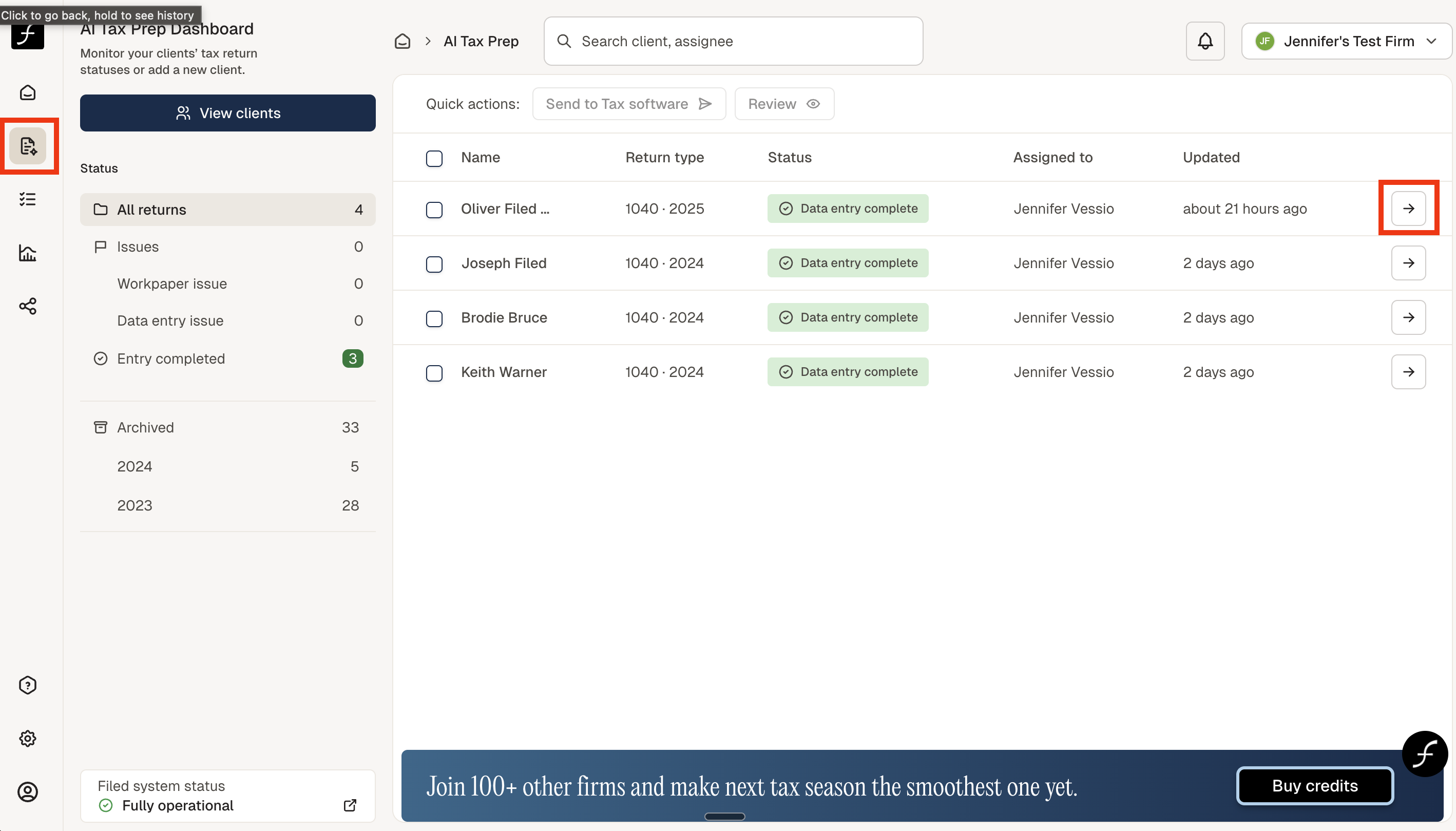
From the home screen, click the AI Tax Prep icon, shown below (to the left). Then select the client by clicking on the arrow (shown on the right) of the client name.
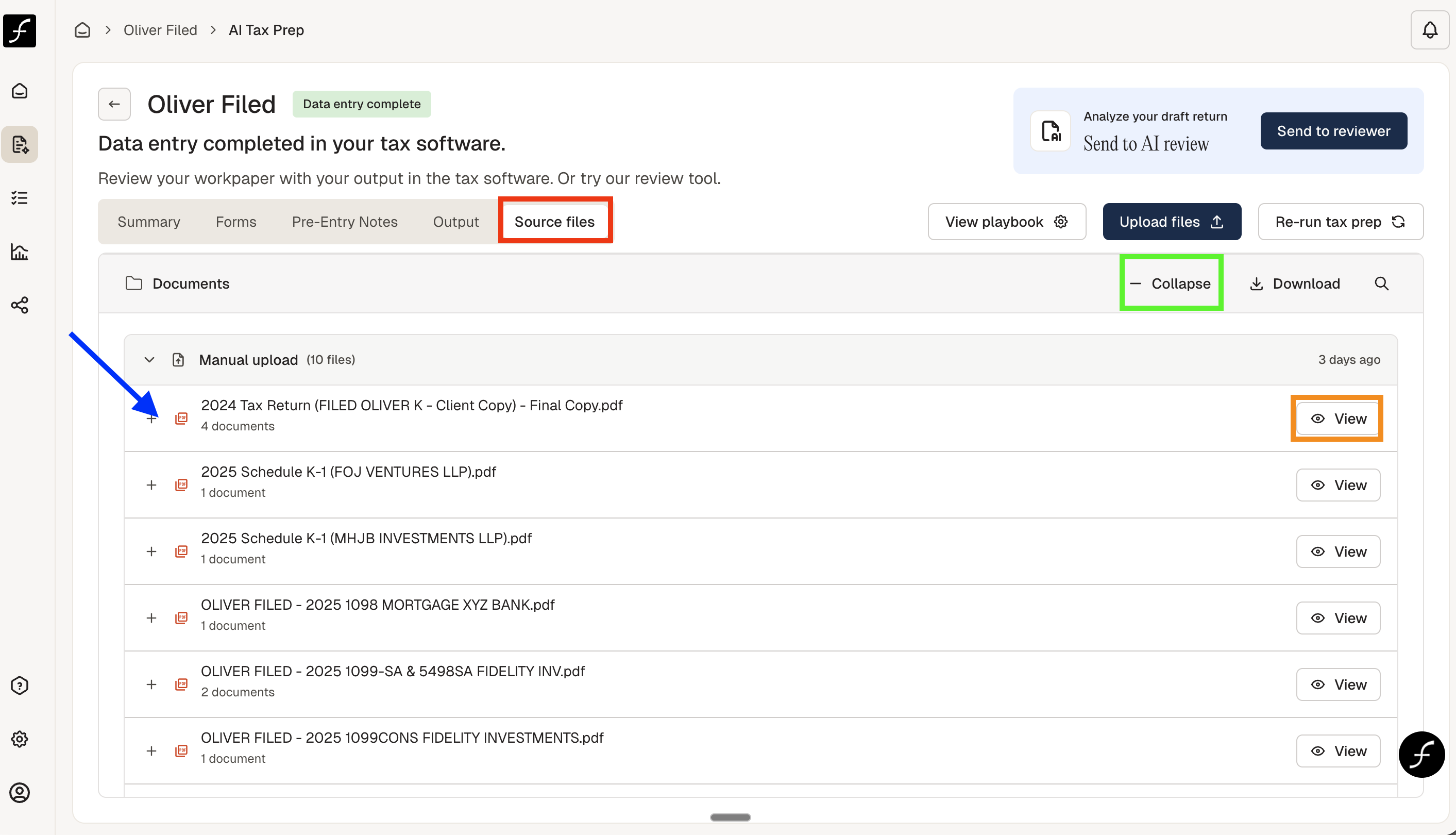
You will arrive at the screen shown below. There are 5 tabs, Source Files is the fifth one - highlighted in red. The Source Files tab will show you all of the documents that you have uploaded for our AI Tax Prep.
You can expand or collapse the list by clicking the area highlighted in green. You can expand a multipage document by clicking the area next to the blue arrow for each document. To view a specific document, click View - highlighted in orange.