Reordering Documents, Adding Categories - Binder Screen
Last updated: February 9, 2026
The Binder screen provides the ability to reorder the documents if you have a preferred review order. You can also add or delete categories of documents based on preference.
How to find the Binder Screen and Review Tools
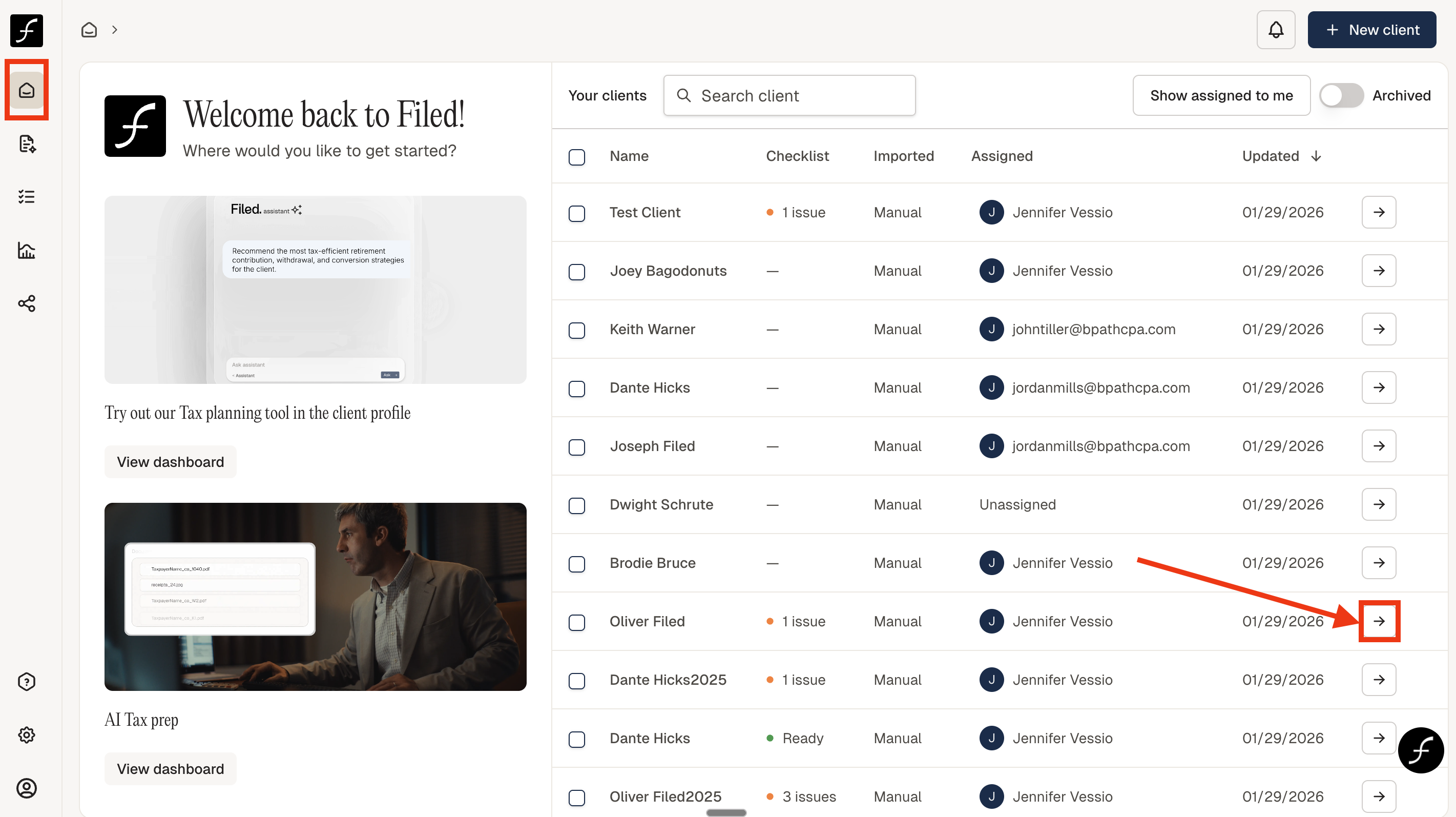
From the home screen, click the arrow next to the client who needs to be reviewed.
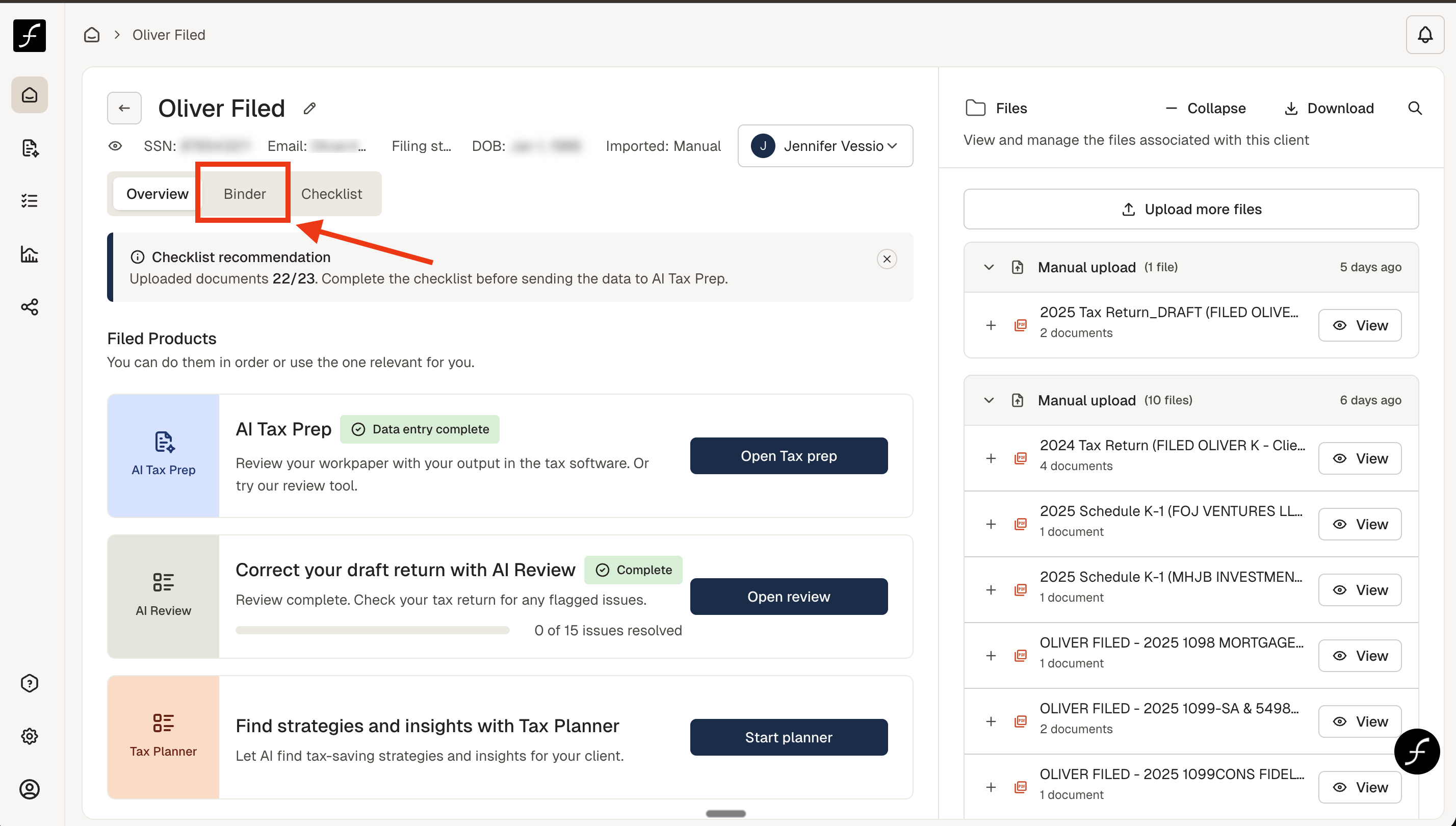
You will arrive at the screen shown below. Click Binder to arrive at the Binder Screen.
You will arrive at the page shown below. Best Practice for review: Have your tax software open and this as well on two screens if possible.
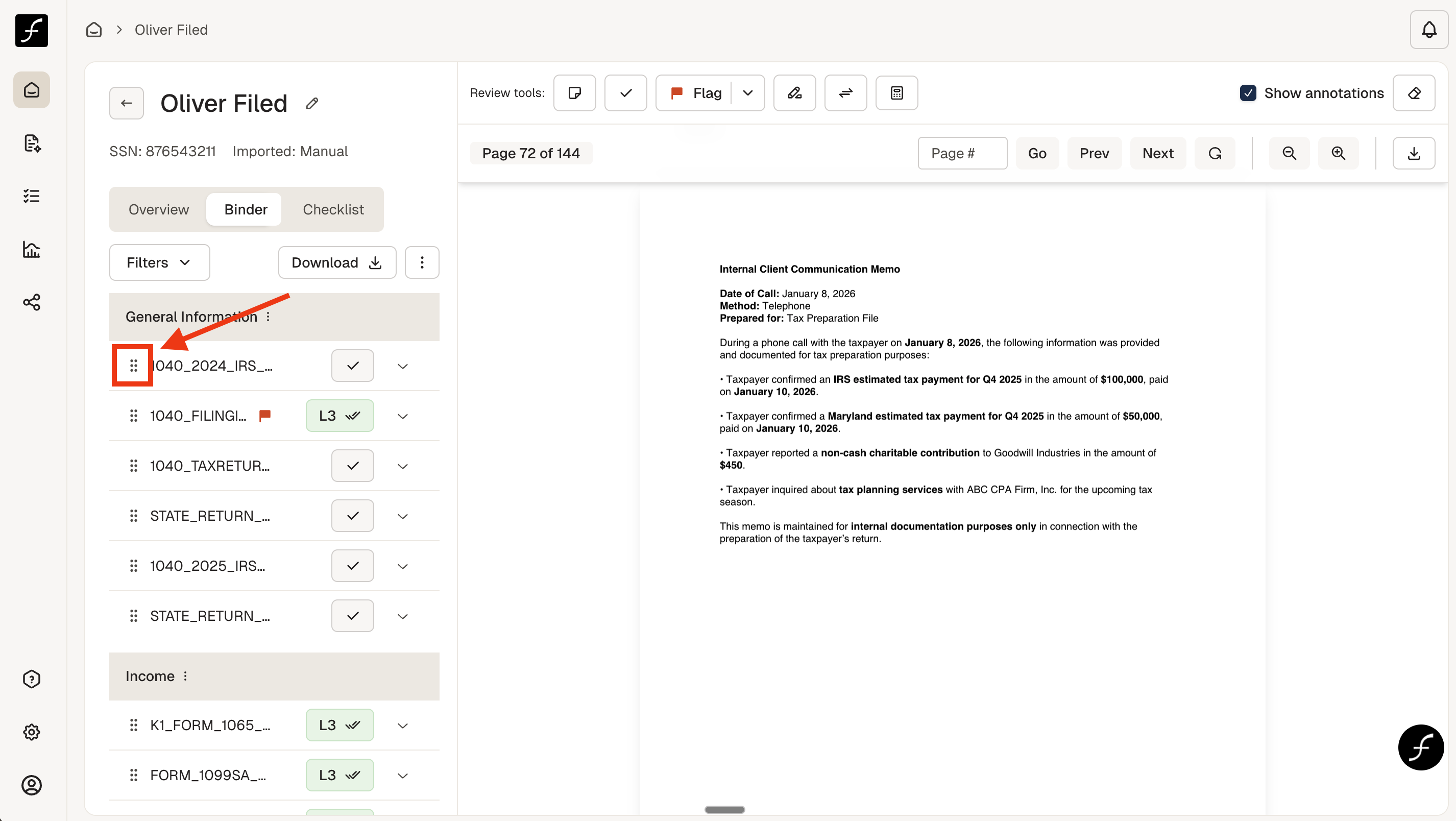
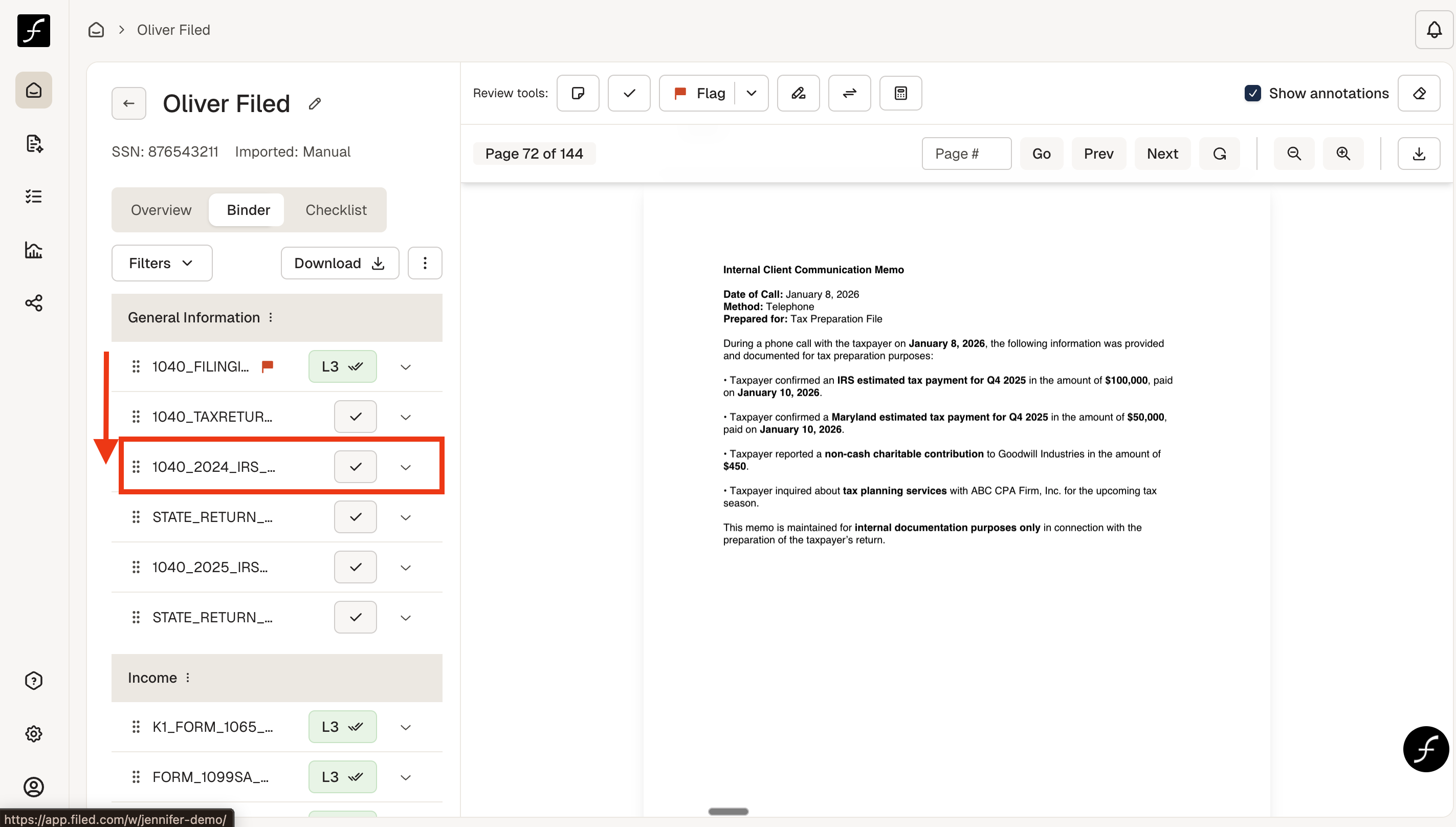
To move a document to another position within the same category or to move to another category, simply click on the 6 dots, highlighted in red, to the left of the document title and drag to the desired position.
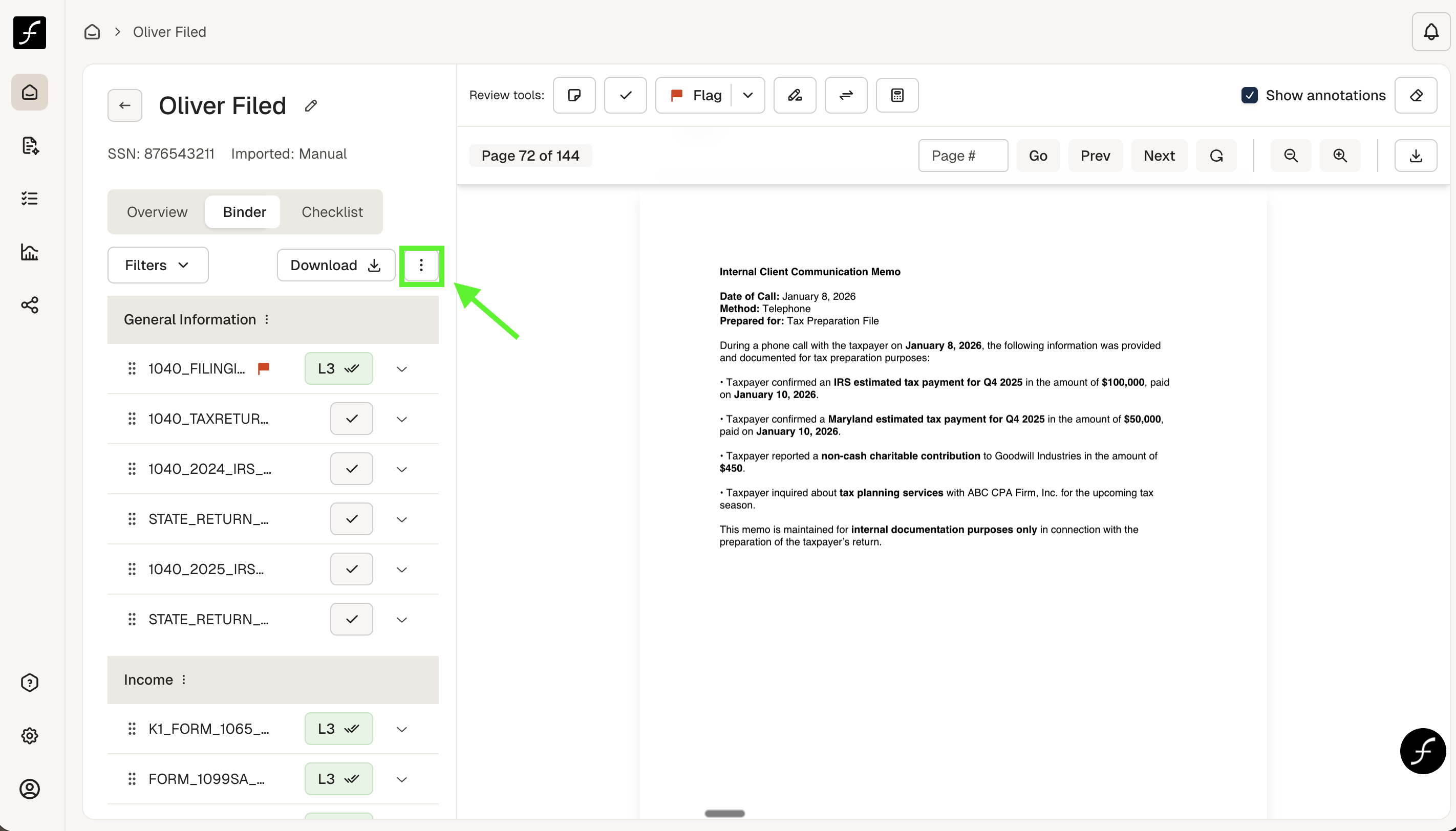
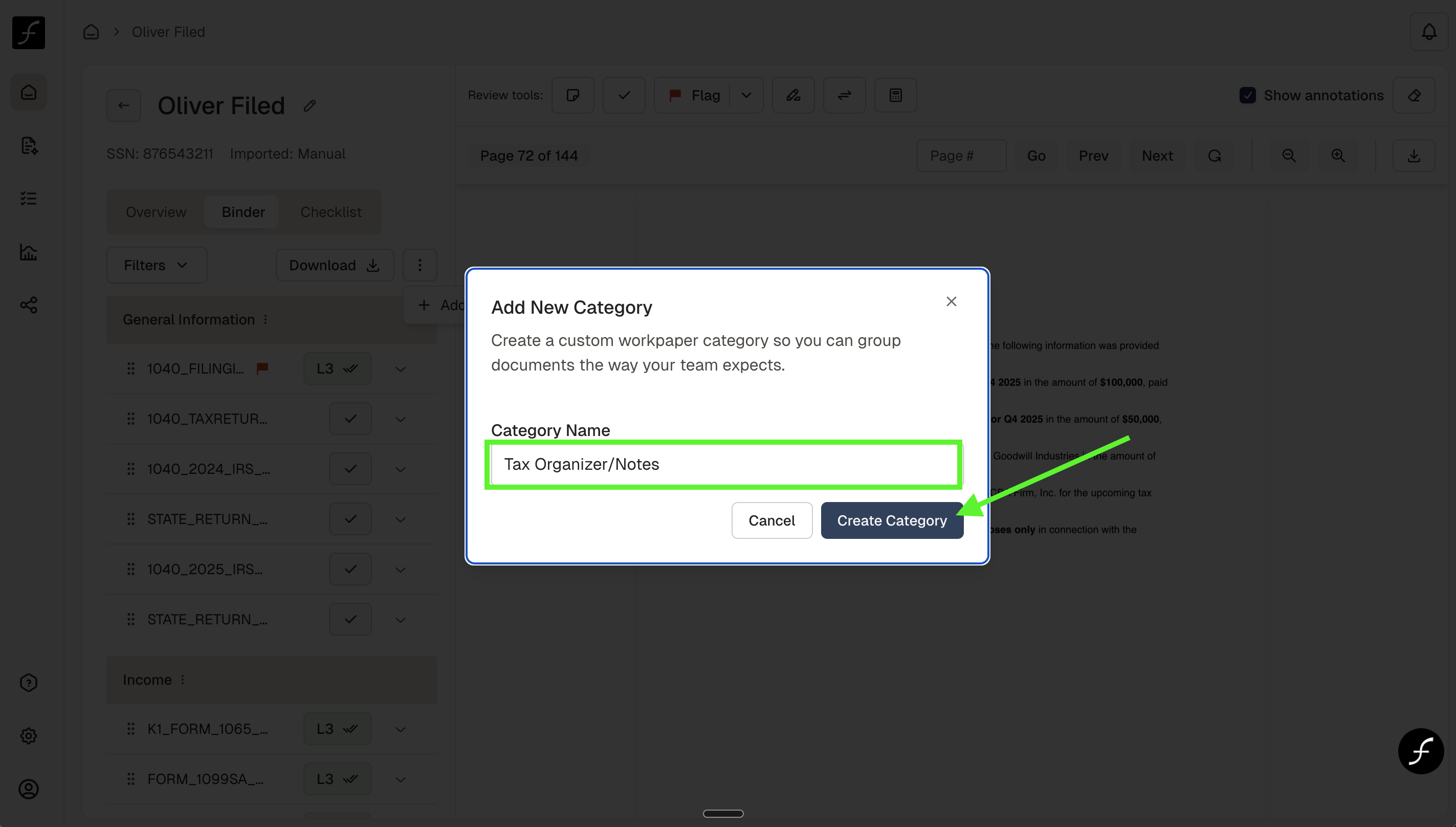
To add a category, click the three dots to the right of the download button, highlighted in green, and you will be prompted to add a category.
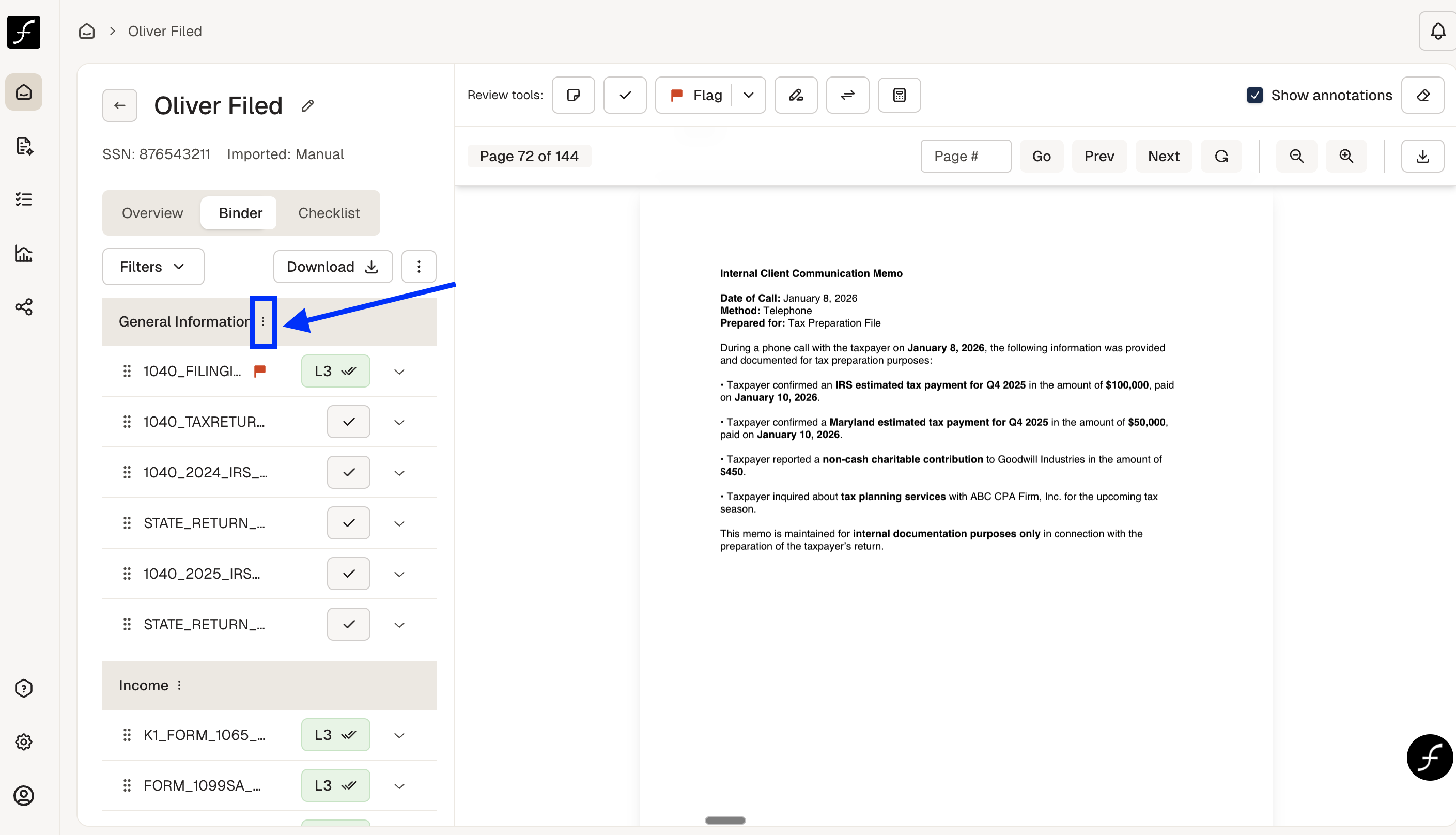
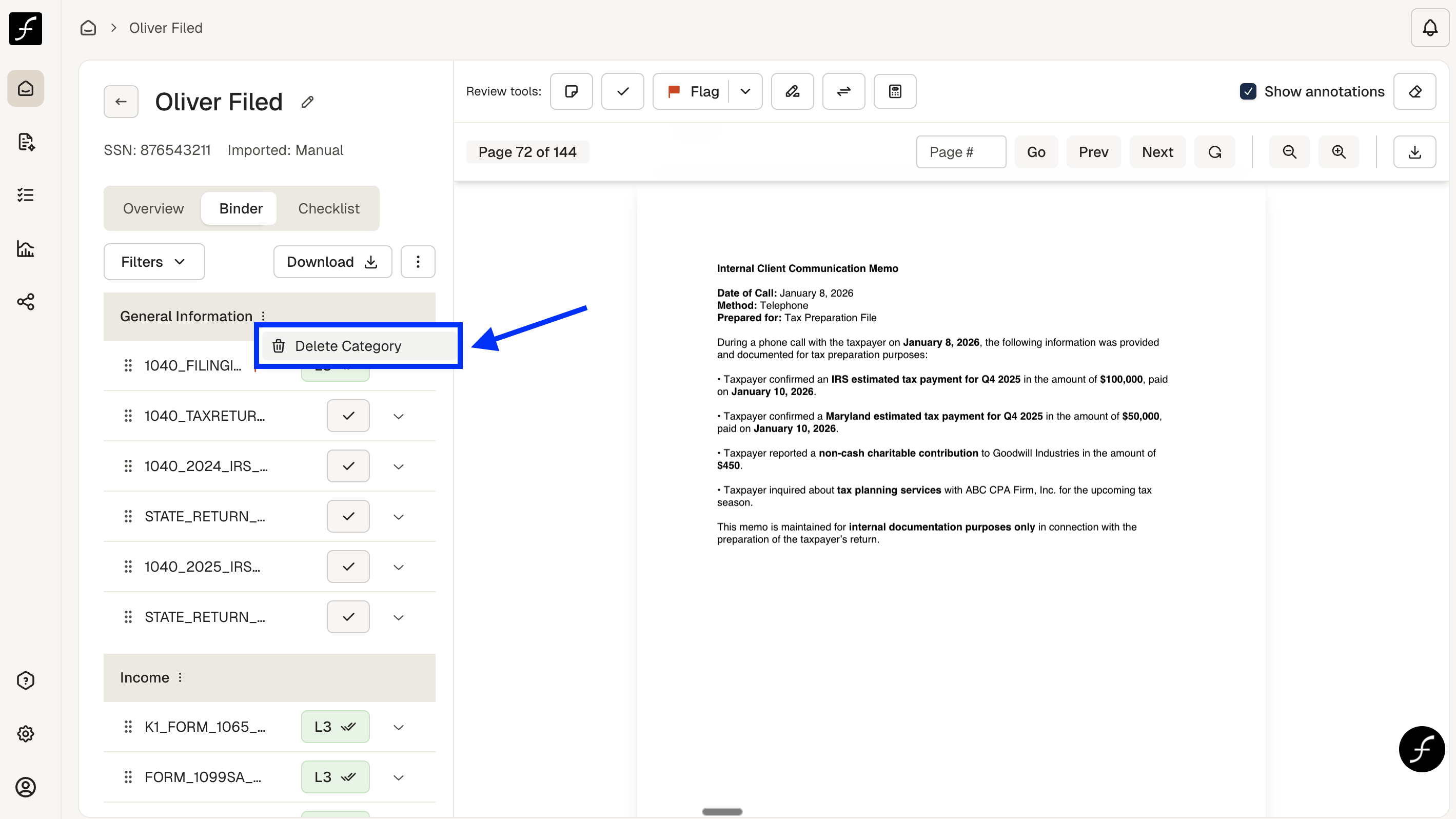
To delete a category, click the three dots to the right of the category title, highlighted in blue, and you will be prompted to delete the category.