Removing teammates from your workspace
Last updated: January 27, 2026
Whether for a staff change or to move to a different workspace, you may need to remove a user.
This resource includes:
How to find your Members tab
How to remove a user
How to find your Members tab
Removing a user begins by going to the Members tab on the Settings screen. There you can manage your team.
When you log in, you will land on the Home page.
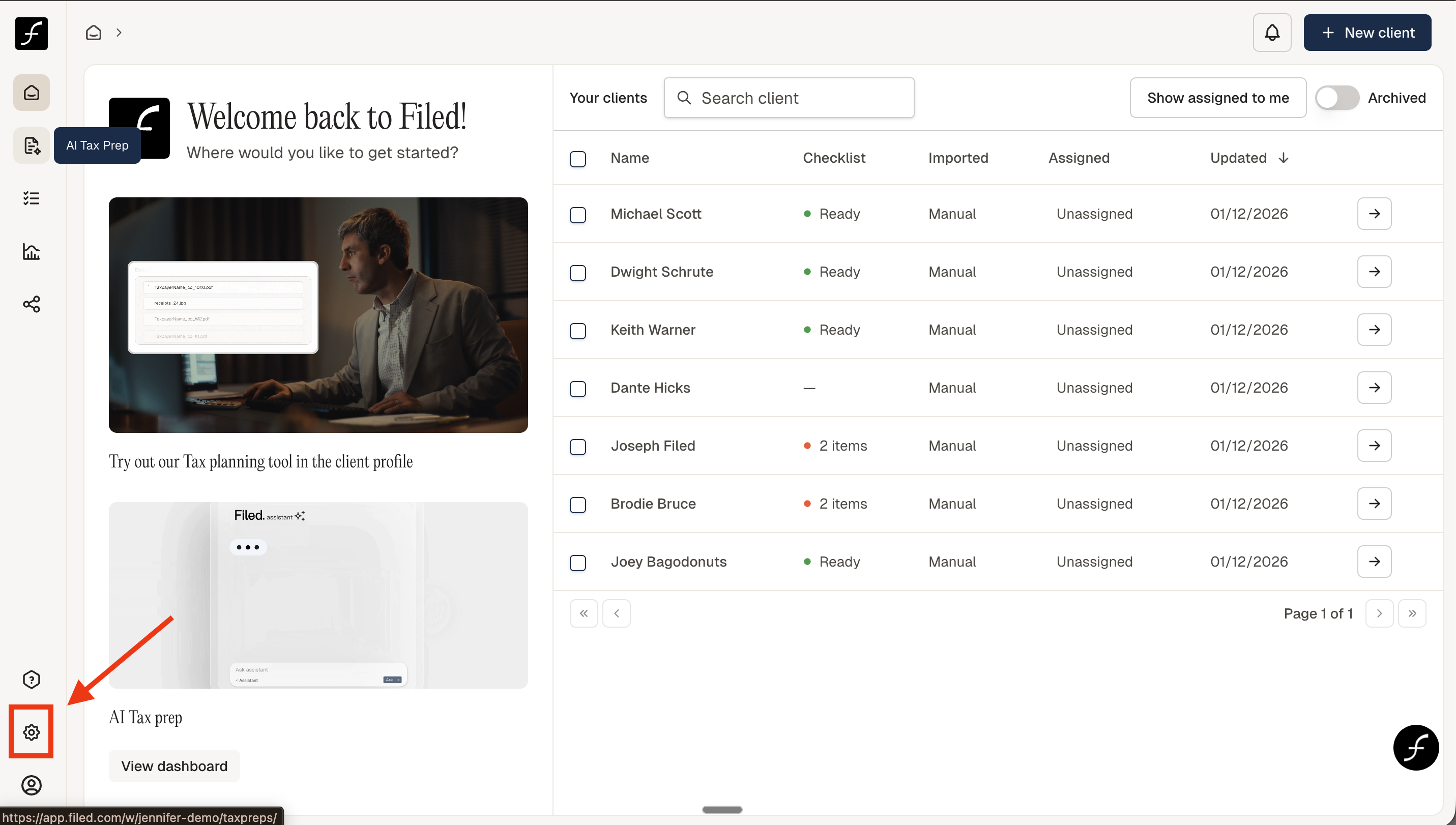
From there, navigate to the lower-left corner of the screen and click the Settings icon
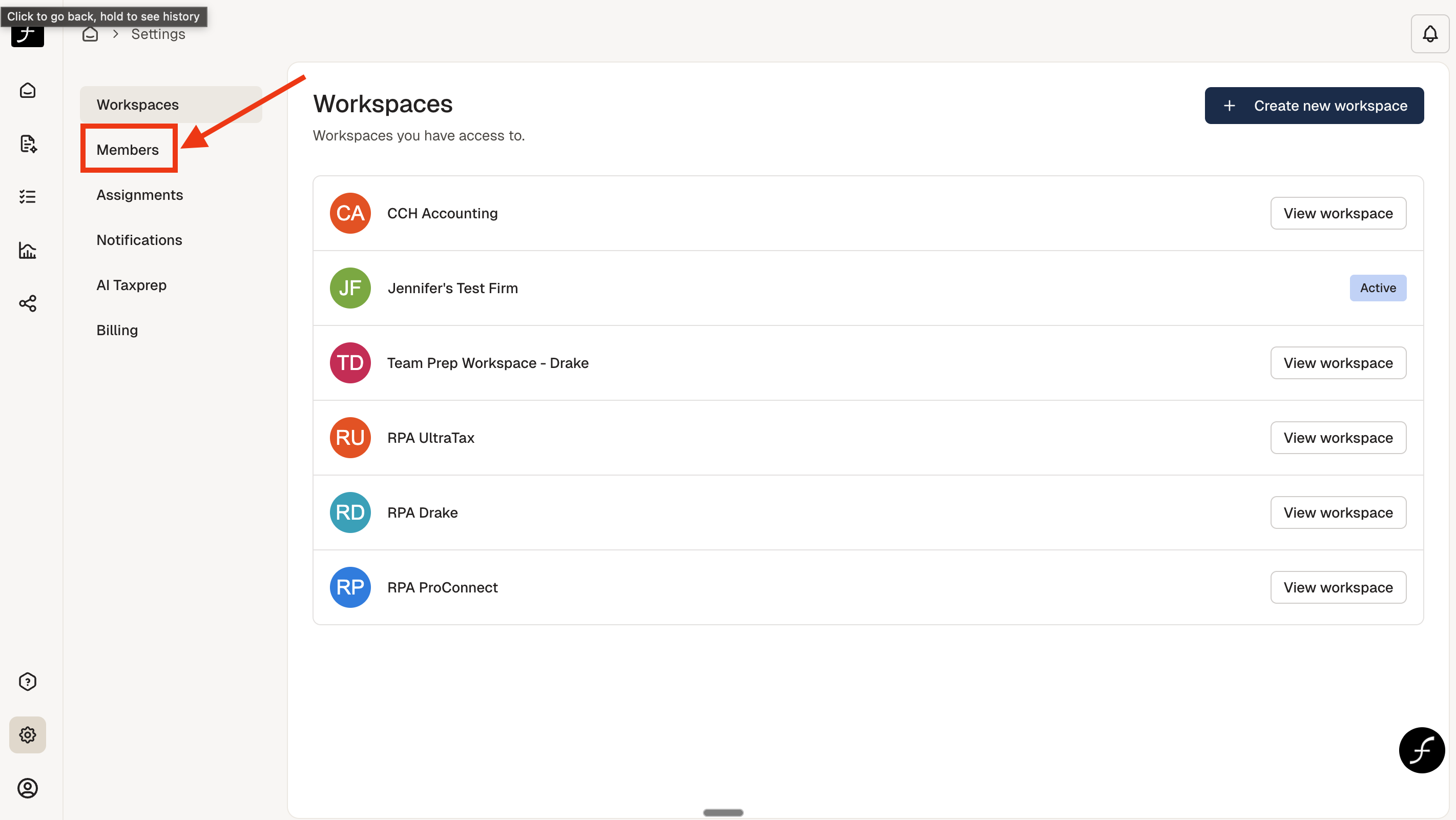
Once you open the Settings page, you will see a list of all available workspaces. From there, select Members to manage your team.
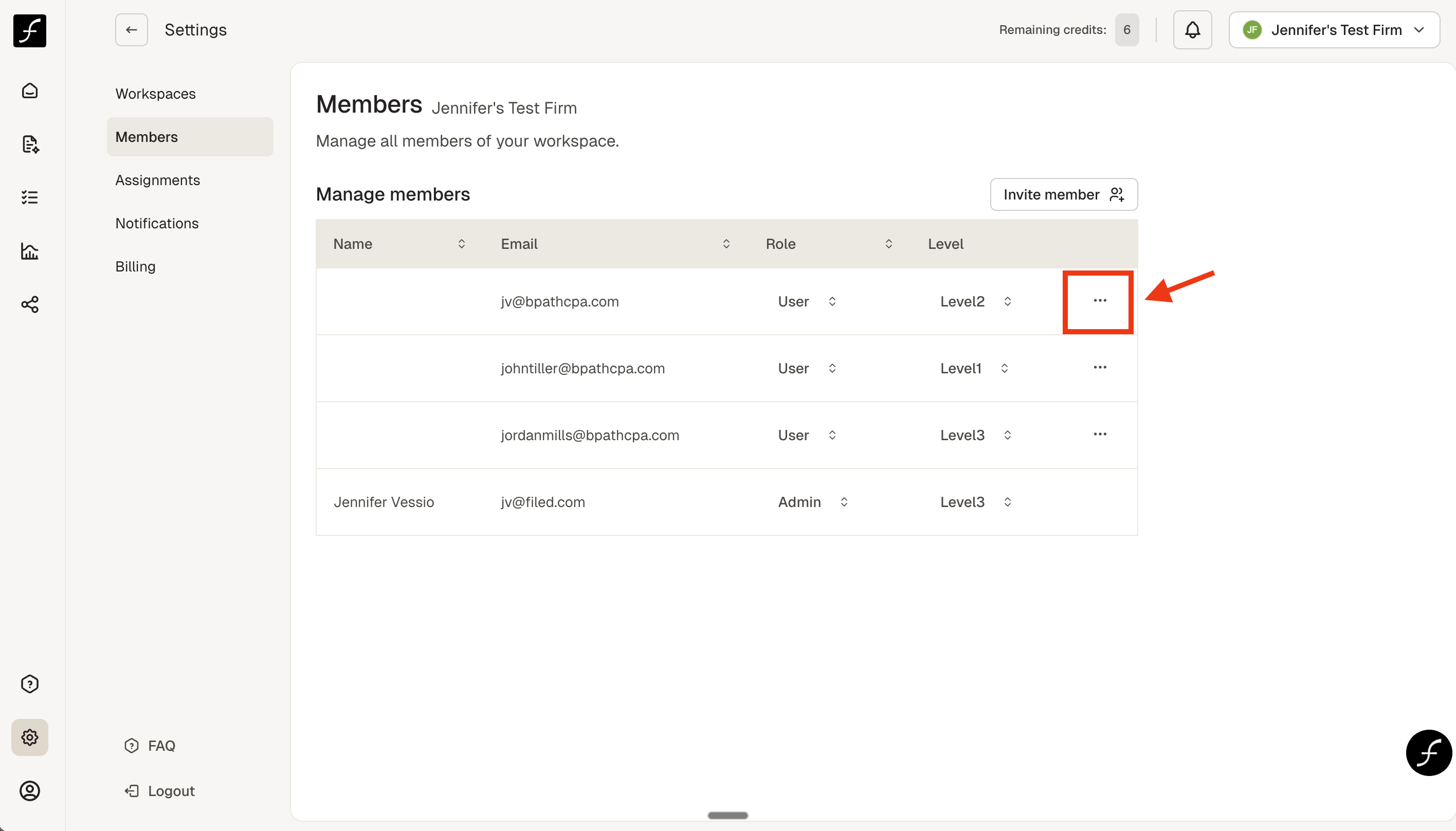
You will see Manage Members, with a list of users underneath.
How to remove a user
Click the three dots to the right of the user.
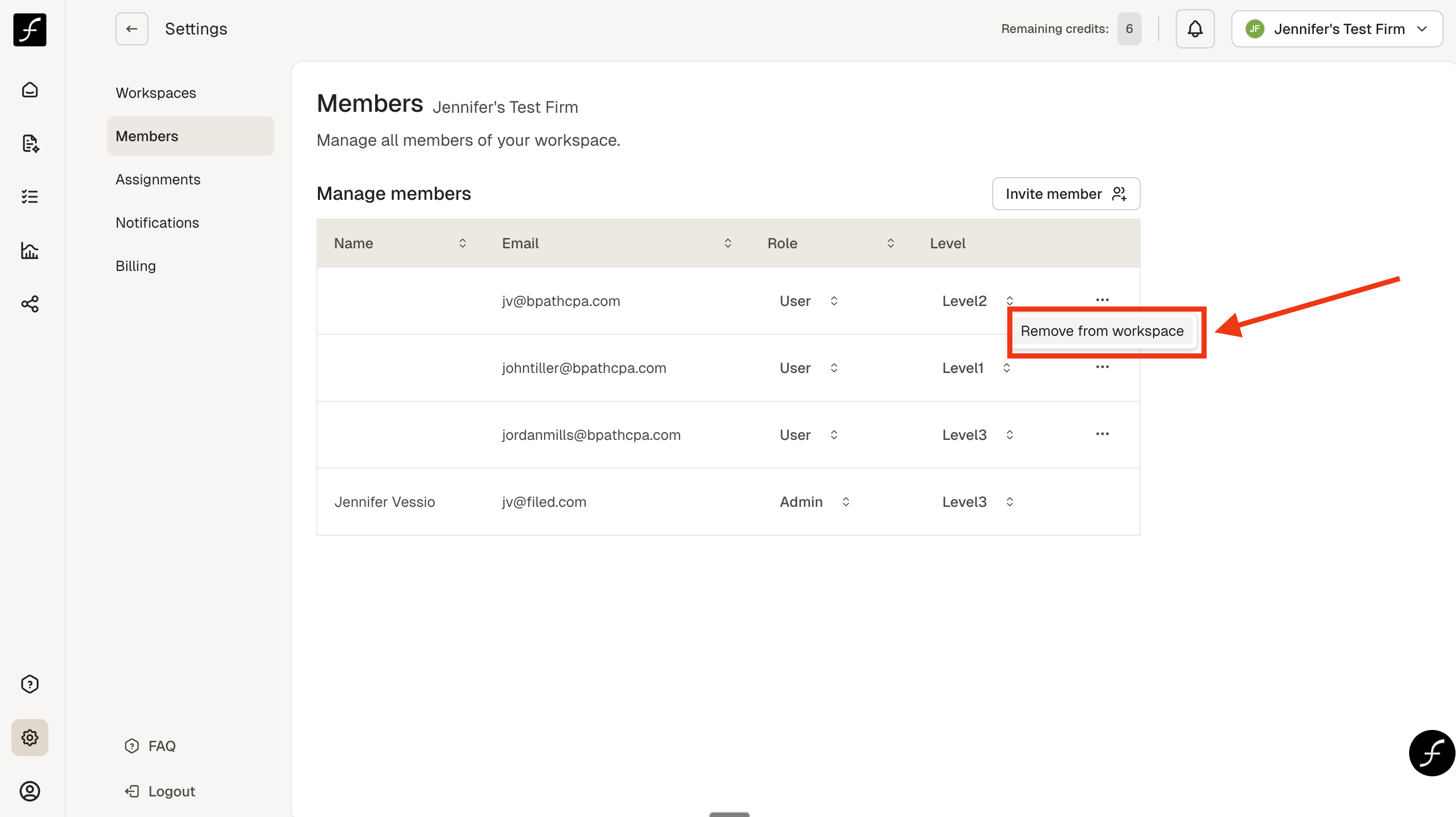
Click Remove from workspace.
When you return to the Manage members list, you will see that the selected user is no longer there!