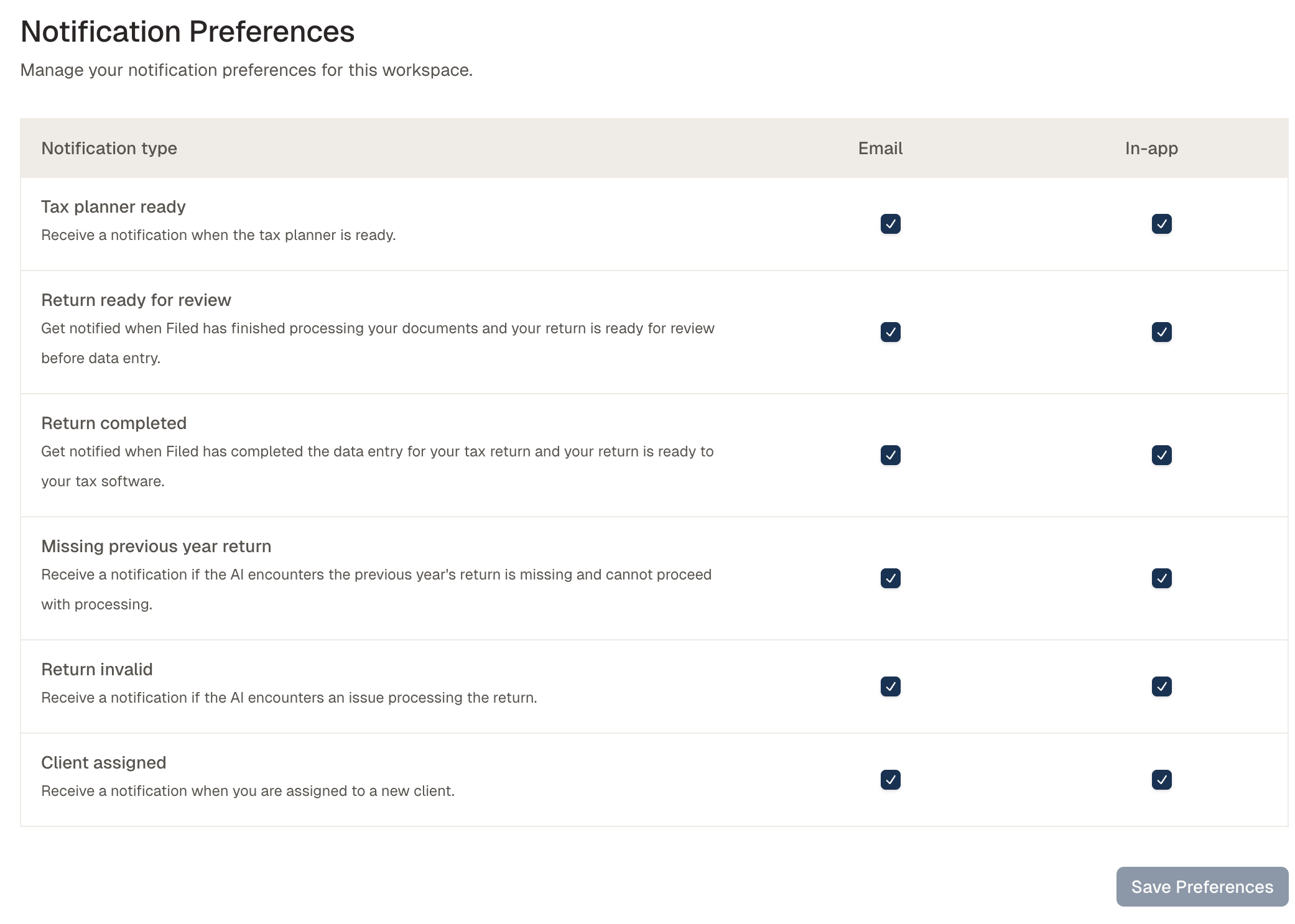
Settings: Email and in-app notification controls
Last updated: February 10, 2026
The Notifications tab allows you to manage how and when your team will receive notifications in Filed.
Who gets notifications?
The person assigned to the client in Filed. See this guide assigning clients
How to find the Notifications Tab -
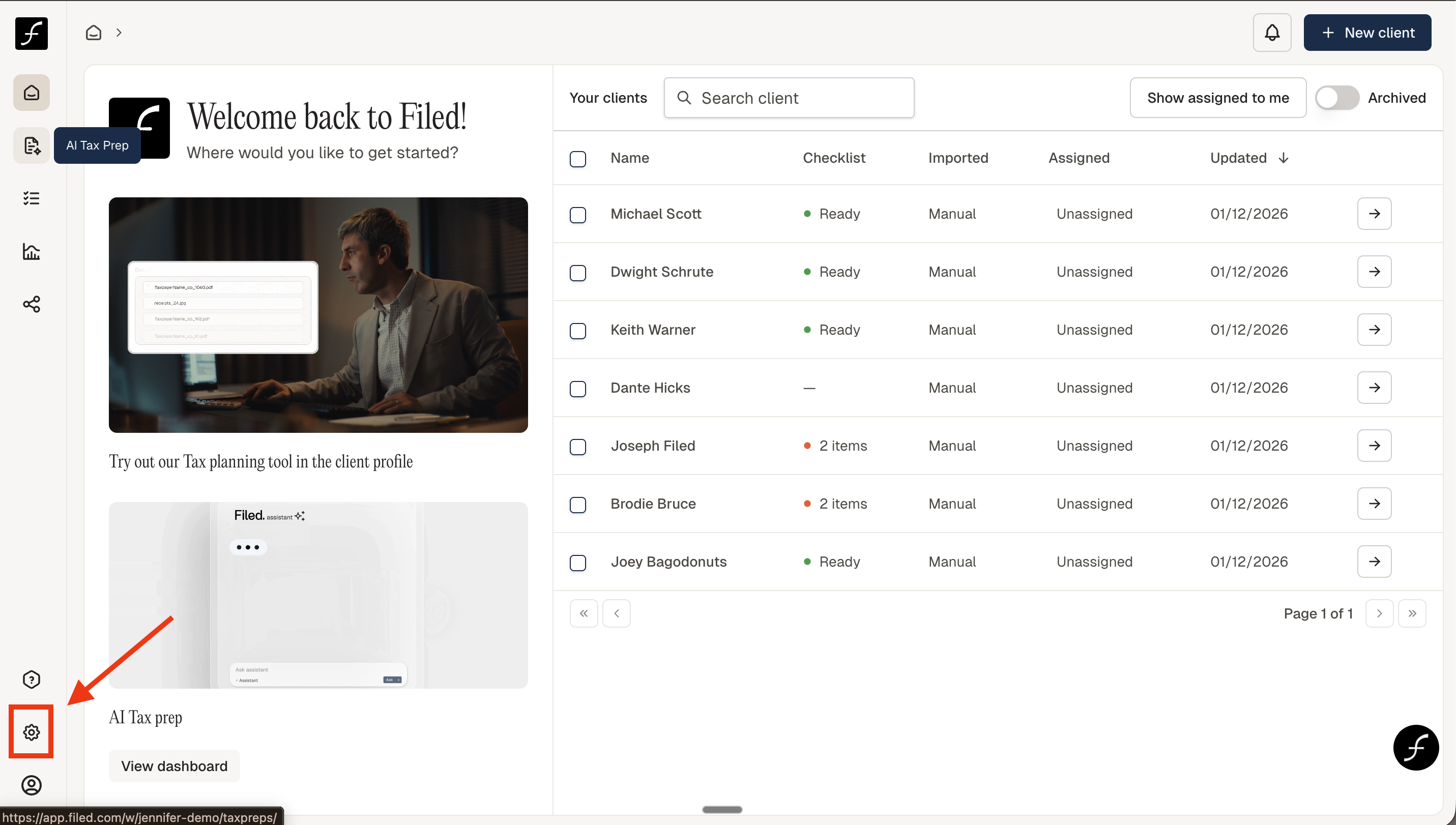
When you log in, you will land on the Home page. From there, navigate to the lower-left corner of the screen and click the Settings icon
Once there, click Notifications and choose how you would like to receive updates by selecting either email or in-app notifications for the available options.
When you have finished selecting your preferences, click Save Preferences to apply your changes. Your notification settings will take effect immediately. See the image below for reference.