CCH Axcess Tax Troubleshooting
Last updated: March 16, 2026
This resource is for firms using CCH Axcess Tax with Tax API Kit.
My worksheet appears empty. What should I do?
I can't find my client in Filed
I received a "Sync failed to complete" error
I received "CCH Axcess Diagnostic: 49842 ‐ The amount of withholding must equal the amount of withholding reported on Form(s)"
My worksheet appears empty or return not populating. What should I do?
View: CCH Axcess: Return not populating
I can't find my client in Filed?
If you just added this client to your tax software, Filed's daily sync has likely not pull it in. You can run a manual sync with the steps below:
Go to your Tax Software page, and click on the three dots next to CCH Axcess Tax.
In the Dropdown, click Sync clients.
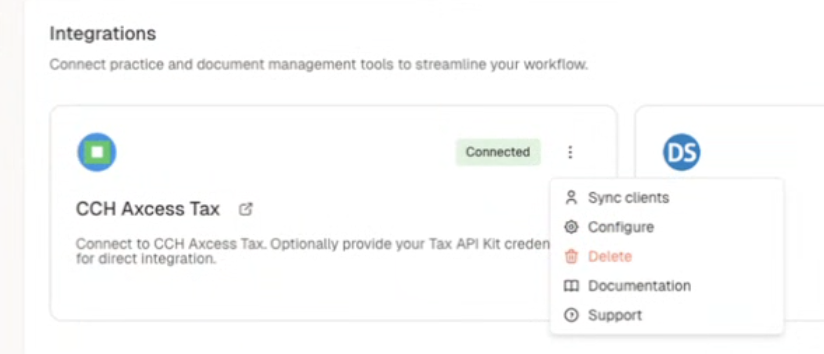
Click Sync in the top right corner.
I received a "Sync failed to complete" error.
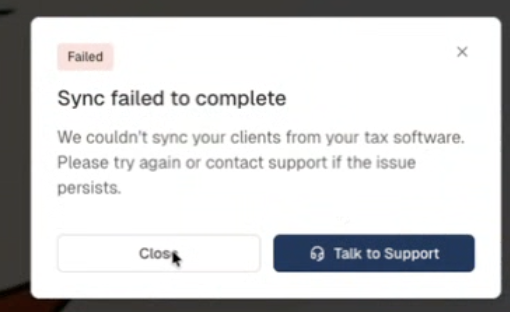
Rerun the sync by clicking Sync in the top right corner.
If this doesn't work, reach out to Filed support.